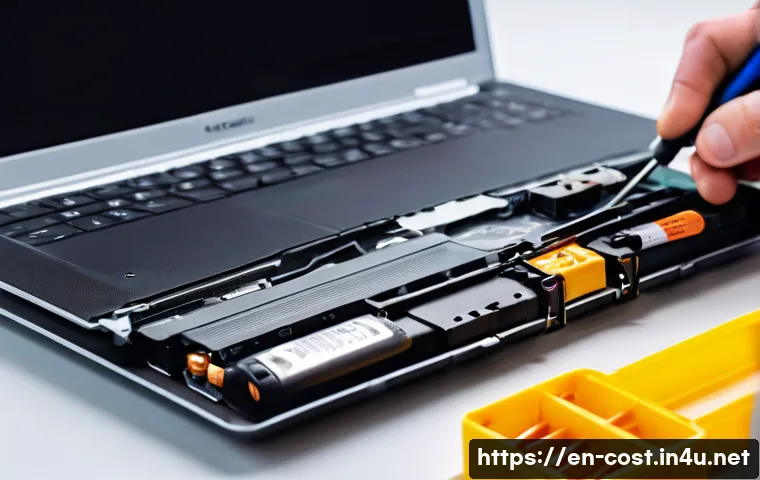
Replacing a laptop battery can be a bit daunting, especially when you’re unsure about the costs involved. Whether your device is showing signs of battery wear or simply won’t hold a charge anymore, understanding the expenses upfront can save you from unexpected surprises.
Prices vary widely depending on the laptop model, brand, and whether you opt for an original or third-party battery. Plus, labor charges for professional installation can add to the total cost.
Knowing these factors helps you make an informed decision about repair or replacement. Let’s dive deeper and get a clear picture of what to expect when it comes to laptop battery replacement costs!
Understanding Battery Pricing Differences
Original vs. Third-Party Batteries
When you’re looking to replace a laptop battery, the first big decision is whether to go for an original equipment manufacturer (OEM) battery or a third-party alternative.
OEM batteries tend to cost more but often come with a guarantee of compatibility and safety, which can be reassuring if your laptop is still under warranty or if you want peace of mind.
Third-party batteries, on the other hand, can be significantly cheaper and sometimes offer comparable performance, but the quality varies widely. Personally, I’ve tried both types, and while some third-party options worked fine for a few months, I found myself replacing them sooner than expected, which ended up costing more in the long run.
Brand and Model Impact on Cost
Your laptop brand and model play a huge role in determining how much a replacement battery will set you back. Popular brands like Apple, Dell, and Lenovo typically have pricier batteries due to proprietary designs and higher manufacturing standards.
For example, MacBook batteries often cost well over $100, while some budget-friendly laptops from brands like Acer or ASUS might have batteries for under $50.
I remember checking prices for my old Dell XPS and was surprised at how much more the battery cost compared to a generic replacement for a cheaper brand.
The model’s age also matters; newer laptops often have batteries integrated into the chassis, which can push prices up.
How Warranty and Battery Life Affect Price
If your laptop is still under warranty, replacing the battery might be free or much cheaper through the manufacturer. However, warranties rarely cover wear and tear, so if your battery naturally lost capacity over time, you might have to pay out of pocket.
Battery life expectancy is another factor. High-capacity batteries designed for longer usage tend to cost more. When I upgraded to a laptop with a bigger battery, I noticed the replacement cost was higher, but it was worth it for the extended unplugged time.
It’s good to weigh how much battery life you want against what you’re willing to spend.
Installation Costs and DIY Considerations
Professional Installation Fees
Having a technician replace your battery can be a safe bet, especially if your laptop has a complicated internal design. Labor fees vary depending on the service center and location but typically range from $40 to $100.
I once took my laptop to a repair shop, and while the installation was done quickly and professionally, the labor charges nearly doubled the overall cost.
If you’re not comfortable opening up your laptop or worried about damaging components, paying for professional installation might be a wise investment.
DIY Replacement Pros and Cons
Replacing your battery yourself can save a significant amount of money, but it’s not without risks. Opening your laptop without the proper tools or knowledge might void your warranty or cause accidental damage.
When I replaced my battery on a mid-range laptop, I found plenty of step-by-step guides and videos online, which made the process smoother. However, it took me about an hour, and I had to be extra cautious with delicate connectors.
For people who enjoy tinkering and have some technical skills, DIY is a great way to cut costs. Otherwise, it might be worth the extra fee for professional help.
Tools and Supplies You Might Need
If you decide to go the DIY route, make sure you have the right tools on hand—small screwdrivers, anti-static wrist straps, and plastic pry tools are essentials.
I learned the hard way that using metal tools without caution can scratch internal parts or short circuits. Some replacement batteries come with toolkits included, which is a nice bonus.
Additionally, having a clean, well-lit workspace will make the process less stressful. Remember to back up your data before starting, just in case something goes wrong during the swap.
Battery Lifespan and Value Over Time
How Long Do Replacement Batteries Last?
Replacement battery lifespan varies widely depending on quality and usage patterns. On average, a good battery lasts between 1.5 to 3 years. From my experience, OEM batteries tend to stick closer to the 3-year mark, while cheaper third-party options might only last 12 to 18 months.
Factors like frequent full discharges, high screen brightness, and heavy multitasking can shorten battery life. It’s important to remember that no matter the battery you choose, regular maintenance—like avoiding extreme temperatures and not leaving your laptop plugged in all the time—can extend its useful life.
Cost Per Month: Making Sense of Value
When you break down the cost of a battery over its lifespan, you get a better sense of value. For example, if you spend $120 on a battery that lasts 3 years, that’s roughly $4 per month.
But if you spend $50 on a third-party battery lasting only 1 year, the monthly cost shoots up to over $4. This simple math helped me realize it’s often worth investing in higher-quality batteries to avoid frequent replacements.
Plus, better batteries usually come with warranties, which adds another layer of protection.
Signs It’s Time to Replace Your Battery
Knowing when to replace your battery can save you from sudden shutdowns or performance drops. Common signs include your laptop only powering on when plugged in, the battery percentage dropping erratically, or the device overheating.
Personally, I noticed my laptop started shutting down at around 15% battery, which was a clear sign something was wrong. Most laptops have built-in battery health diagnostics, so running those checks can give you a good idea of when a replacement is due.
Where to Buy Replacement Batteries Safely
Authorized Retailers and Manufacturer Websites
Buying batteries from authorized retailers or directly from the manufacturer is generally the safest option. These sources guarantee compatibility and offer customer support if anything goes wrong.
I usually check the official website first to see if a replacement battery is available for my model and compare prices. Although it might be a bit more expensive, the peace of mind is worth it, especially if your laptop is relatively new or expensive.
Trusted Online Marketplaces
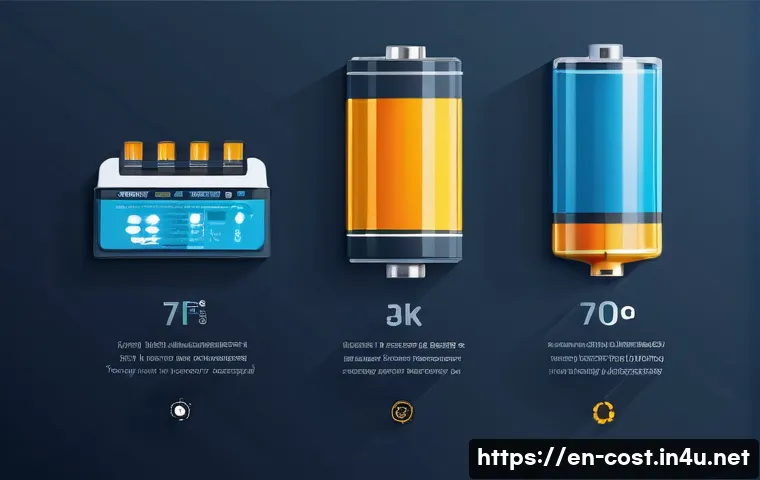
Platforms like Amazon, Newegg, or Best Buy also offer a wide selection of laptop batteries. The key is to read reviews carefully and choose sellers with high ratings and good return policies.
When I bought a battery from Amazon, I made sure to pick a product with hundreds of positive reviews and a warranty. Be cautious of extremely low prices or sellers without a clear return process, as these can be red flags for counterfeit or low-quality products.
Avoiding Scams and Fake Batteries
The market is flooded with counterfeit batteries, which can be dangerous and damage your laptop. I’ve heard stories from friends who ended up with batteries that swelled or failed within weeks.
To avoid these pitfalls, verify the product’s authenticity by checking serial numbers, packaging details, and seller reputation. If a deal sounds too good to be true, it probably is.
Sticking to reputable sources minimizes the risk of scams and ensures your laptop’s safety.
Breaking Down Typical Replacement Costs
Cost Components
Laptop battery replacement costs generally include the battery price and any labor fees if you hire a technician. Additional expenses might arise if your laptop requires disassembly or if the battery is integrated into other components.
I’ve seen repair shops charge extra for laptops with tricky designs, which added $20-$50 to the total bill.
Cost Ranges by Laptop Type
Ultrabooks and gaming laptops often have pricier batteries because of their specialized power needs and slim designs. Budget laptops tend to have more affordable batteries but might compromise on capacity or longevity.
From my research and personal replacement experience, here’s a rough estimate of cost ranges:
| Laptop Type | Battery Price Range | Labor Cost Range | Total Estimated Cost |
|---|---|---|---|
| Ultrabooks (e.g., MacBook Air, Dell XPS) | $100 – $200 | $50 – $100 | $150 – $300 |
| Gaming Laptops (e.g., Razer, ASUS ROG) | $120 – $250 | $50 – $100 | $170 – $350 |
| Budget Laptops (e.g., Acer, HP) | $40 – $80 | $30 – $70 | $70 – $150 |
| Business Laptops (e.g., Lenovo ThinkPad) | $80 – $150 | $40 – $80 | $120 – $230 |
Tips for Saving Money
If you’re looking to keep costs down, consider buying a high-quality third-party battery with good reviews and replacing it yourself if possible. Also, timing your replacement before the battery completely fails can prevent damage to your laptop’s hardware.
Signing up for manufacturer newsletters or checking for seasonal sales can help you catch discounts. I once snagged a 20% off coupon that cut the battery cost by $30, which felt like a great win.
Environmental and Safety Considerations
Proper Disposal of Old Batteries
Laptop batteries contain materials that can be harmful to the environment if not disposed of properly. Many electronics stores and recycling centers offer free battery recycling programs.
After replacing my battery, I always make sure to drop the old one off at a certified recycler rather than tossing it in the trash. It’s a small step but important for reducing electronic waste.
Handling Battery Safety Risks
Faulty or damaged batteries can overheat, swell, or even catch fire. That’s why it’s critical to use reputable batteries and avoid cheap knockoffs. I’ve heard of cases where improper batteries caused laptops to malfunction or posed safety hazards.
If you notice your battery swelling or your laptop getting unusually hot, stop using it immediately and seek professional help.
Extending Battery Life Through Care
Maintaining your battery well can delay the need for replacement. Simple habits like avoiding full discharges, keeping your laptop cool, and updating firmware can help.
From my own routine, I noticed that dimming the screen brightness and unplugging the charger once fully charged noticeably improved battery health over time.
This kind of care adds value by squeezing more life out of your investment before replacement becomes necessary.
글을 마치며
Choosing the right laptop battery replacement involves balancing cost, quality, and safety. Whether you opt for an OEM or a trusted third-party battery, understanding your laptop’s needs and how you use it makes all the difference. Taking time to research and properly install your battery can save money and extend your device’s life. Ultimately, informed choices lead to better performance and peace of mind.
알아두면 쓸모 있는 정보
1. Always check your laptop’s warranty status before purchasing a replacement battery, as some manufacturers cover battery issues under warranty.
2. When buying third-party batteries, prioritize sellers with positive reviews and clear return policies to avoid counterfeit products.
3. DIY battery replacements can save money but require careful handling and the right tools to prevent damage or voiding warranties.
4. Regularly monitor your battery’s health and avoid extreme temperatures to maximize its lifespan and performance.
5. Properly recycle old batteries through certified programs to protect the environment and comply with safety regulations.
중요 사항 정리
Replacement battery costs vary widely depending on the brand, model, and whether you choose OEM or third-party options. Professional installation adds to the expense but ensures safety for complex laptops. DIY replacements are cost-effective if done carefully with the correct tools. Battery lifespan typically ranges from 1.5 to 3 years, so investing in quality batteries often saves money over time. Always purchase from reputable sources to avoid scams and ensure your laptop’s safety, and dispose of old batteries responsibly to minimize environmental impact.
Frequently Asked Questions (FAQ) 📖
Q: How much does it typically cost to replace a laptop battery?
A: The cost to replace a laptop battery usually ranges from $50 to $150, but it can vary quite a bit depending on your laptop’s brand and model. For example, batteries for popular brands like Dell or HP tend to be more affordable, while Apple MacBook batteries often cost more due to proprietary parts.
If you decide to buy a third-party battery, prices might be lower, but quality can vary. Also, keep in mind that professional installation can add $30 to $70 to the overall expense if you’re not comfortable doing it yourself.
Q: Is it worth paying extra for an original manufacturer’s battery instead of a third-party one?
A: From my experience, opting for an original manufacturer’s battery is usually worth the extra cost, especially if you want reliability and safety. OEM batteries are designed specifically for your laptop model, ensuring better performance and longer lifespan.
Third-party batteries might save you money upfront, but they can sometimes cause compatibility issues or degrade faster, which means you might end up replacing it sooner.
If you rely heavily on your laptop daily, investing in a genuine battery can save headaches down the road.
Q: Can I replace my laptop battery myself, or should I seek professional help?
A: Whether you can replace the battery yourself really depends on your laptop’s design and your comfort level with DIY repairs. Some laptops have easily accessible batteries, making replacement straightforward with just a screwdriver.
However, many modern laptops, especially ultrabooks and MacBooks, have batteries glued in or require special tools and techniques to open safely. If you’re not confident or don’t want to risk damaging your device, paying a professional is a safer bet.
Personally, I once tried a DIY replacement on a MacBook and ended up needing professional help anyway, so sometimes it’s worth the extra cost for peace of mind.